Gengar Ransomware Brings The Most Common and Dangerous Features From Its Category

Table of Contents
What is Gengar Ransomware?
Gengar Ransomware is a digital threat designed to encrypt files on infected devices, rendering them inaccessible to their rightful users. Gengar operates by encrypting files and appending the ".gengar" extension to filenames. For example, a file named "document.docx" is renamed to "document.docx.gengar."
Alongside this disruptive activity, Gengar leaves a ransom note titled "info.txt." The note tells its victims that their files have been encrypted with the AES encryption algorithm. It urges them to contact the attackers at a provided email address, claiming only they hold the decryption keys.
Here's what the ransom note says:
ATTENTION! ALL YOUR DATA ARE PROTECTED WITH AES ALGORITHM
Your security system was vulnerable, so all of your files are encrypted.
If you want to restore them, contact us by email: restoreyourfiles.gengar@gmail.com, indicating ebef12f6-b85a-11ef-90e9-a5ce3ea0e181 as email subject.BE CAREFUL AND DO NOT DAMAGE YOUR DATA:
Do not rename encrypted files.
Do not try to decrypt your data using third party software, it may cause permanent data loss.
Do not trust anyone! Only we have keys to your files! Without this keys restore your data is impossibleWE GUARANTEE A FREE DECODE AS A PROOF OF OUR POSSIBILITIES:
You can send us 2 files for free decryption.
Size of file must be less than 1 Mb (non archived). We don`t decrypt for test DATABASE, XLS and other important files.DO NOT ATTEMPT TO DECODE YOUR DATA YOURSELF, YOU ONLY DAMAGE THEM AND THEN YOU LOSE THEM FOREVER
AFTER DECRYPTION YOUR SYSTEM WILL RETURN TO A FULLY NORMALLY AND OPERATIONAL CONDITION!
What Does Gengar Want?
The ransom note clearly states that the attackers demand payment in exchange for the decryption tools needed to restore affected files. Victims are instructed to contact the attackers via email with a specific subject line, which initiates communication. To demonstrate their capability, the threat actors offer to decrypt two small files for free, though they explicitly refuse to decrypt databases or other critical files in this trial offer.
Additionally, the note warns against renaming files or attempting to decrypt them using third-party tools, claiming that such actions could lead to permanent data loss. Despite these threats, experts strongly advise against paying the ransom, as there is no guarantee that attackers will honor their promise and provide functional decryption tools.
How Does Ransomware Operate?
Ransomware, including Gengar, employs encryption algorithms to lock users out of their data. The attackers typically threaten victims with permanent data loss unless a payment is made, usually in cryptocurrency. Ransom notes often include detailed instructions for contacting the attackers and making the payment.
Once ransomware infiltrates a system, it can encrypt additional files and potentially spread to other devices on the same network. This capability highlights the urgency of removing the threat from infected systems promptly to minimize further damage.
Preventing Data Loss and Financial Harm
The most effective defense against ransomware attacks is maintaining regular backups of important files. These backups should be stored in secure locations, such as remote servers or offline storage devices, to ensure their safety from encryption.
It is also critical to remove ransomware promptly after detection. Allowing it to remain active on the system increases the likelihood of further encryption and spreading within the local network. By eliminating the threat swiftly, users can protect unaffected files and devices from compromise.
How Gengar Ransomware Spreads
Threat actors deploy ransomware using various deceptive methods. Malware-loaded email attachments or links, fake software updates, infected USB drives, and compromised websites are just some of the tactics employed to distribute these programs. Peer-to-peer networks, pirated software, and fake applications also serve as common vectors for ransomware distribution.
In many cases, victims are tricked into running malicious files, such as executables, scripts, or document attachments, that initiate the infection. These files often appear legitimate, making it crucial for users to exercise caution when interacting with unfamiliar files or links.
Mitigating the Risk of Ransomware
Every potential victim should adopt a multi-layered approach to cybersecurity to reduce the risk of encountering ransomware like Gengar. A fundamental step is using reliable antivirus or anti-malware software and ensuring it remains up to date. Additionally, exercising caution when dealing with unsolicited emails, links, or attachments is vital.
It is also advisable to scrutinize email communications for signs of phishing or deceptive tactics, such as unexpected requests for sensitive information or urgent language intended to pressure the recipient into immediate action. Avoiding pirated software and downloading applications only from trusted sources further reduces exposure to potential threats.
The Bigger Picture of Ransomware Threats
Gengar is just one example of the broader ransomware landscape, where numerous variants target individuals and businesses worldwide. Each variant may employ different encryption methods, delivery tactics, and ransom demands, but they all share a common goal: profiting from their victims.
Understanding the methods and implications of ransomware is key to developing robust defenses against these threats. By staying informed and adopting proactive security measures, users can reduce their vulnerability to ransomware and other forms of cybercrime.
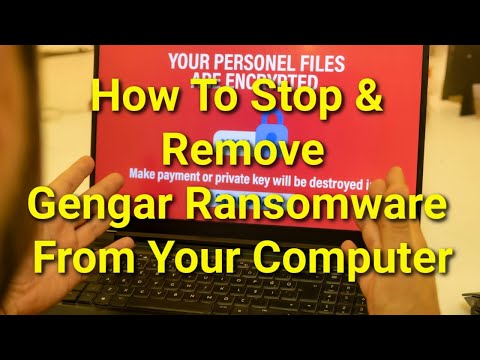
How To Stop & Remove Gengar Ransomware To Prevent File Encryption