'ServiceRecords Will Damage Your Computer' Mac Error
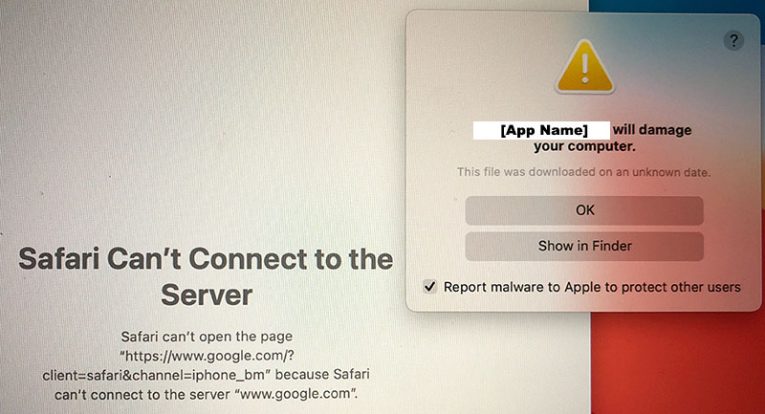
Apple computers are among the most secure systems you can get your hands on. Not only are they the target of very few malware families, but they also use some very robust security features. Typically, if you try launching a potentially harmful file, macOS will warn you that it may damage your computer. One of these messages that users report relatively often is 'ServiceRecords Will Damage Your Computer.'
ServiceRecords may sound like a legitimate component or feature but, in reality, it has nothing to do with macOS. It is a 3rd-party application, which uses a fake name to look as if it is a legitimate macOS component. Not only does it rely on deceptive tricks to conceal its presence, but it may also arrive to your system through shady means. Often, users end up installing low-quality apps like ServiceRecords because of fake downloads, misleading software bundles, and other deceptive content.
If you see the ServiceRecords Will Damage Your Computer message, you should not ignore it. Your operating system's security is informing you that a dubious file is trying to run. You should research the issue and eliminate the intruder. The good news is that there is no need to do this manually. ServiceRecords is a Potentially Unwanted Program (PUP) according to reputable Mac security products. This means that you can run a reliable security scanner to easily identify and eradicate all ServiceRecords files.
Make sure to avoid such software in the future by staying away from unreliable download sources. Also, we advise you to equip your Mac with a 3rd-party security tool, which can further protect you from intrusive software like ServiceRecords. While PUPs like this one are not dangerous, they may often introduce annoying changes to your browser and system settings.