The Tactics Behind the "Virus Alert (05261)" Pop-Up Scam
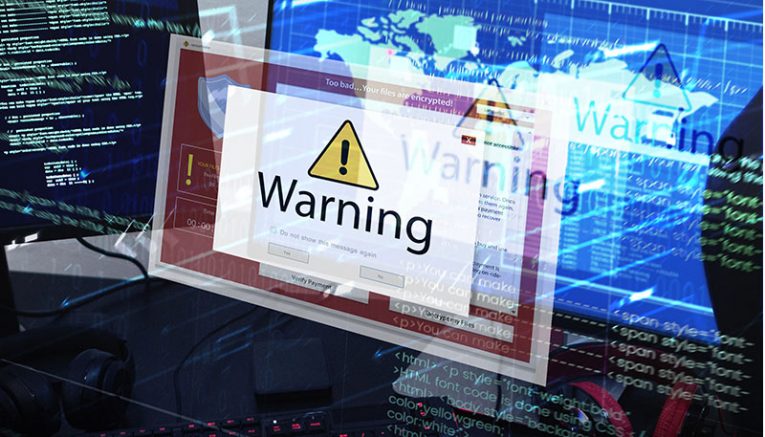
The "Virus Alert (05261)" pop-up is a cunning example of a technical support scam circulating online. This scam masquerades as a legitimate Microsoft warning, designed to create panic among unsuspecting users. The pop-up claims that the user's operating system has been locked due to unusual activity, urging them to contact "Microsoft Support" immediately for assistance.
From the outset, it is important to clarify that this pop-up has no connection to Microsoft or any of its services. Instead, it is part of a fraudulent scheme aimed at exploiting users' fears to gain access to their devices or sensitive information.
Table of Contents
How the Scam Operates
The "Virus Alert (05261)" pop-up often appears as part of a larger scam webpage, which is made to look like an official Microsoft site. This page displays multiple pop-up windows with alarming messages, the most prominent being the "Virus Alert (05261)." It typically warns users that their Windows system has been locked due to suspicious activity and lists a series of supposed issues, such as detected malware or unauthorized access attempts. The page then prompts the user to call a toll-free number for help.
This is where the scam takes a more dangerous turn. Once the user dials the provided number, they are connected to fake support representatives who claim to be from Microsoft. These scammers typically request remote access to the user's computer, using legitimate software such as UltraViewer or TeamViewer to establish the connection. Once they have access, the real trouble begins.
Here's what the pop-up's text looks like:
Virus Alert (05261) !!
Microsoft Windows locked due to unusual activity. Error: 0x800xdfy
Security
Networks are safe
Virus free
14 outdated appsPrivacy
19 privacy settings to fix
434 browser cookiesPerformance
10.4 GB to free up
21 slow startup apps
377 registry entriesFix Issues Show details
Your system has been reported to be infected with Trojan-type spyware.
For assistance, contact Microsoft Support
+1-844-216-9800 (Helpline)
What Happens When Scammers Gain Access
If the scammers successfully connect to the victim's computer, they can carry out a range of malicious activities under the guise of providing technical support. Often, they will pretend to diagnose and fix the supposed issues. Still, in reality, they may be disabling real security tools, installing fake antivirus software, or even deploying harmful malware such as trojans or ransomware.
Beyond installing malware, these criminals can also harvest valuable data from the victim's device. This can include email login credentials, social media, online banking, and even digital wallets. In more severe cases, they might steal personal identification details such as passport scans or banking information, leading to potential identity theft.
The Financial and Privacy Risks Involved
A key aspect of the scam is the eventual demand for payment. The scammers often claim that their services, or the "fixes" they have applied, require a fee. They may ask for payment in hard-to-trace forms such as cryptocurrencies, gift cards, or even cash sent through the mail. Unfortunately, once the victim has sent the money, there is little chance of recovering it, and the scammers often disappear without providing any real assistance.
In addition to the immediate financial loss, victims of the "Virus Alert (05261)" scam can face significant privacy issues. With personal and financial data compromised, identity theft and further fraud risk is very real. This can lead to long-term consequences that go far beyond the initial encounter with the scam.
Protecting Yourself From Tech Support Scams**
Encountering a scam pop-up like "Virus Alert (05261)" can be alarming, but knowing how to respond is crucial. If you cannot close the pop-up, the best course of action is to end your browser's process via the Task Manager. When you reopen your browser, start a new session rather than restoring the previous one to avoid reloading the deceptive page.
If you have already engaged with the scam and allowed remote access to your device, it is essential to disconnect from the internet immediately. Then, uninstall any remote access software the scammers used, as they might attempt to reconnect without your permission. Following this, run a full system scan with reputable antivirus software to detect and remove any malware that may have been installed.
Staying Vigilant Online
The "Virus Alert (05261)" pop-up scam is just one of many similar threats circulating online. Other examples include scams like "Error Updating Software: #009292w099738H98" and "Microsoft Detected A Unusual Application In Your System," all of which share the common goal of deceiving users into compromising their security.
To stay safe, it's essential to be cautious when browsing the internet. Pay attention to URLs, avoid suspicious websites, and be skeptical of pop-ups or unsolicited messages that demand immediate action. Always download software and updates from official sources and treat any unexpected alerts cautiously.
Final Thoughts
While the internet is full of valuable resources, it also harbors deceptive and malicious content. The "Virus Alert (05261)" scam is a stark reminder of the importance of online vigilance. By understanding how these scams operate and knowing how to respond, you can protect yourself from becoming a victim of cybercrime. Stay informed, stay cautious, and always prioritize your online safety.