FastFix: An Intrusive App That Fills Your Mac with Ads

Table of Contents
What Is FastFix?
FastFix is an application that exhibits adware-like behavior, generating persistent advertisements on Mac computers. Once installed, it can introduce unwanted pop-ups, banners, and other promotional content that interfere with regular browsing. While it might appear as a useful tool at first glance, its primary function is to push ads, which can disrupt the user experience.
How FastFix Affects Your Mac
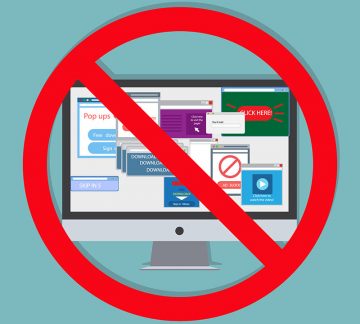
Adware applications like FastFix primarily operate by injecting advertisements into web pages or applications. These ads may appear in the form of pop-ups, in-text links, banners, or auto-playing videos. In some cases, users might even experience unexpected redirects to promotional pages, making normal browsing more frustrating. While these ads are mainly designed to generate revenue, they could also expose users to unreliable content.
The Connection Between FastFix Ads and Unreliable Content
Some advertisements displayed by FastFix may feature misleading offers, fake warnings, or prompts to install additional applications. Clicking on them could lead to phishing pages, deceptive promotions, or even scams disguised as giveaways or technical support alerts. Although not all advertisements are harmful, some may trick users into providing personal details or downloading unnecessary software.
How Adware Gets Installed on Mac Devices
Like other adware applications, FastFix often reaches users through software bundling. This means it may come packaged with free programs or third-party applications downloaded from unofficial sources. Users who install software without carefully reviewing the terms or skipping installation steps may unknowingly allow adware onto their system. Additionally, misleading advertisements and pop-ups from unreliable websites may prompt users to install applications like FastFix without realizing their true purpose.
Adware and Potential Cybersecurity Risks
While FastFix itself is primarily focused on displaying advertisements, its presence on a system may indicate other cybersecurity risks. Some adware applications have been known to introduce unwanted browser modifications, such as altering homepage settings or redirecting searches to promotional websites. Additionally, adware could expose users to pages that distribute more intrusive threats, making it important to address its presence promptly.
Why Some Adware Is Hard to Remove
Users who attempt to uninstall FastFix may find that it does not disappear easily. Some adware applications employ persistence mechanisms, such as hidden files or modified system settings, to remain active even after removal attempts. This can make it challenging to get rid of them completely without manually resetting browser settings or identifying all related files.
Avoiding Unwanted Applications Like FastFix
To prevent adware from being installed, users should be cautious when downloading and installing applications. It is advisable to only download software from trusted sources, such as official app stores or developer websites. When installing programs, selecting "Advanced" or "Custom" installation settings allows users to review and deselect any bundled applications they do not recognize.
Safe Browsing Practices to Minimize Risks
Users can reduce the chances of encountering adware by avoiding pop-ups and intrusive ads from unknown websites. Denying notification requests from unfamiliar pages, steering clear of questionable downloads, and being cautious with email attachments can all help prevent unwanted applications from reaching a system. Additionally, keeping browsers and operating systems updated ensures that security measures remain effective against new threats.
Final Thoughts
FastFix is an application that disrupts browsing by displaying unwanted advertisements, often promoting questionable content. While not every ad is harmful, interactions with misleading promotions could expose users to deceptive schemes or unreliable software. Being cautious when installing applications and practicing safe browsing habits can help users maintain a more secure and hassle-free computing experience.