(5) Virus/Malware infections have been detected Pop-Up: A Deceptive Scam Disguised as Microsoft Support
Table of Contents
A Common Scam Designed to Trick Users
The "(5) Virus/Malware Infections Detected" pop-up is part of a growing trend of online scams designed to mislead users into believing their systems are infected. These fake alerts are not genuine warnings from Windows or Microsoft, although they often impersonate official branding. Instead, they aim to create a false sense of urgency, tricking users into seeking help from scammers posing as technical support.
This scam has been discovered on numerous suspicious websites. Its sole purpose is to lure users into providing remote access to their devices. It exploits fear to manipulate people into acting hastily.
What is the Pop-Up Trying to Do?
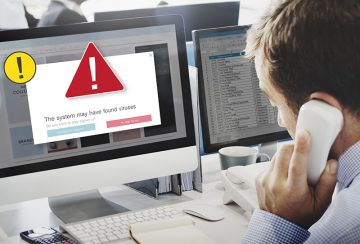
The pop-up appears as a warning message on a user's browser, stating that five serious threats have been detected on the system. These alerts often claim that malicious infections are compromising sensitive data, such as personal information and online banking credentials. The messaging is designed to convince users that their data is in immediate danger.
However, these claims are entirely false. The goal is to make users believe they must take urgent action by contacting a supposed Microsoft support number listed in the pop-up. Once this step is taken, the user is connected with scammers pretending to be professional technicians.
Here's what the scam message says:
System Security
Microsoft Windows Defender Security Center
(5) Virus/Malware infections have been detected on your device.
Microsoft Windows Defender Firewall Alert!
Use your preferred ID for Login to Microsoft Windows
Your personal data is at risk!
(Error Code: #Er0d2 JPO7E)
Your personal data, banking information and web login credentials saved
on this PC are at risk due to a major security breach.
Contact Microsoft Support: +1-866-581-3413 (Security Helpline)
Microsoft Windows
Leave Page
Report an Issue
How Scammers Use Remote Access to Gain Control
If users call the fake technical support number, scammers may instruct them to download remote access software to "fix" the issue. Once installed, commonly used programs like TeamViewer or UltraViewer give scammers complete control of the system. Under the guise of performing repairs, cybercriminals can disable legitimate security tools, install harmful programs, or even steal sensitive data stored on the device.
In reality, no real threats exist. Instead, the scam gives criminals direct access to the victim's computer, allowing them to perform malicious activities unnoticed. This can range from disabling security software to installing ransomware, stealing personal files, or even setting up cryptomining operations.
Windows Has No Connection to This Scam
It's essential to clarify that Windows and Microsoft have absolutely no connection to the "(5) Virus/Malware Infections Detected" pop-up. These scammers misuse Microsoft's brand and interface design to deceive users into believing the alert is legitimate. In reality, Microsoft does not issue such warnings through pop-ups in a web browser, and any message like this should be treated with extreme caution.
These fraudulent schemes are purely designed by third-party criminals to exploit users for financial gain. Falling victim to this scam can lead to data breaches, financial loss, and the risk of identity theft. It's crucial to remember that if you ever encounter such a pop-up, you should not interact with it or call the provided number.
What Happens if You Grant Access?
Once the scammers have remote access to the device, they can perform a wide variety of harmful actions. Often, they will convince the user that the system is full of dangerous infections that need immediate removal. This is a ruse to charge exorbitant fees for fake services. In many cases, they may install actual threats like trojans, keyloggers, or cryptominers while pretending to clean the system.
Scammers frequently use obscure payment methods, such as cryptocurrencies or prepaid gift cards, to make tracking transactions difficult. This reduces victims' chances of recovery, making it even more critical to avoid falling for this scam in the first place.
Recognizing the Signs of a Scam
Understanding how to recognize pop-up scams like the "(5) Virus/Malware Infections Detected" is essential to avoid becoming a victim. Legitimate security warnings from Microsoft or any reputable software provider will not ask users to call a phone number or download remote access software through a browser pop-up. Any such request should be a red flag that the alert is fake.
Additionally, genuine alerts will not lock your system or demand login credentials. Be especially cautious of any messages claiming that your system has been "locked due to suspicious activity" or urging you to sign in using personal information. These tactics are designed to capture sensitive login data for malicious purposes.
How to Protect Yourself
The best defense against these scams is vigilance. Always verify the legitimacy of any pop-up warnings by visiting official websites directly rather than relying on the information presented in the alert. If you encounter a pop-up like this, avoid interacting with it. Instead, use Task Manager to close the browser or restart the system to clear the message.
In addition, be cautious about downloading software or sharing sensitive information online. Stick to verified sources for any software downloads, and avoid interacting with dubious advertisements or unfamiliar websites.
Final Thoughts
The "(5) Virus/Malware Infections Detected" pop-up is a deceptive scheme that preys on users' fear of system infections. By creating a false sense of urgency, scammers hope to trick people into giving them access to their devices, leading to potential data breaches, financial loss, and identity theft. Remember, Microsoft is not involved in this scam, and any alerts that urge you to contact technical support or install software through a pop-up should be ignored.
Staying cautious and informed is the key to protecting yourself from these and other online scams. Always verify any suspicious alerts and avoid engaging with unsolicited warnings, especially those that request remote access to your system.