Cyclonis Password Manager的下载和安装说明
下载Cyclonis Password Manager桌面应用程序
要在Windows计算机上安装Cyclonis Password Manager,请执行以下操作:
通过点击上方的“下载”按钮,下载Cyclonis Password Manager CyclonisPasswordManager-Installer.exe安装文件。
跳转到Cyclonis Password Manager 的CyclonisPasswordManager-Installer.exe的下载位置。
运行 。
选择语言 窗口时,从可用选项中选择偏好语言。
继续 。
如果您同意 EULA、隐私政策和折扣条款的所有条款和条件,请通过单击选择表明我接受 EULA、隐私政策和折扣条款 的选项。接下来,单击窗口右下角的安装按钮。
如何下载和安装Mac版Cyclonis Password Manager桌面应用程序
通过单击上方的“下载”按钮,下载Cyclonis Password Manager的CyclonisPasswordManager-Installer.pkg安装文件。
双击CyclonisPasswordManager-Installer.pkg文件运行它。
介绍 窗口会出现。点击继续 。
继续”继续 并在出现的弹出窗口中单击“同意”确认您同意。
Standard Install on Macintosh HD 的窗口。点击安装 按钮继续。
Cyclonis Password Manager 后,会出现一个窗口,通知您安装过程已完成。点击关闭 。会出现一个窗口通知您安装过程已完成。点击关闭。
安装Cyclonis Password Manager浏览器扩展
如何在Chrome上安装Cyclonis Password Manager浏览器扩展程序
方法1:
打开Cyclonis Password Manager 。
如果您尚未登录,请登录您的Cyclonis Password Manager 账户。
浏览器 按钮。
安装扩展程序 ,如果有的话。(如果已安装Chronme扩展程序,该按钮将标记为卸载扩展程序 。)
+添加扩展程序 按钮。单击它安装扩展程序。
是否添加Cyclonis Password Manager? 的小弹出窗口,询问您是否要将Cyclonis Password Manager 添加到您的浏览器中。点击确认 。
方法2:
打开Google Chronme浏览器。
登录您要为其添加扩展程序的Google帐户。
点击此链接打开Chrome在线商店 https://chrome.google.com/webstore/category/extensions .
在窗口左上角的搜索栏中输入Cyclonis Password Manager 并按Enter 来搜索Cyclonis Password Manager 。然后您会进入到Cyclonis Password Manager 的浏览器扩展程序页面。
Cyclonis Password Manager 扩展程序页面后,点击位于页面右上角蓝色的+ 添加扩展程序 按钮。
是否添加Cyclonis Password Manager? 的小弹出窗口,询问您是否要将Cyclonis Password Manager 添加到Chrome。点击确认 。
如何在Firefox上安装Cyclonis Password Manager浏览器扩展程序
方法1:
打开Cyclonis Password Manager 。
如果您尚未登录,请登录您的Cyclonis Password Manager 账户。
浏览器 按钮。
安装扩展程序 的绿色按钮(如果有的话)(如果已安装Firefox扩展程序,该按钮将标记为卸载扩展程序 )。
Firefox浏览器会打开,您会看到蓝色的 + 添加到Firefox 按钮。单击它安装扩展程序。
确认您要将Cyclonis Password Manager 添加到浏览器。
方法2:
打开Firefox。
点击此链接打开Firefox插件 页面 https://addons.mozilla.org/ .
在窗口右上角的搜索栏中输入Cyclonis Password Manager 并按 Enter 键,搜索Cyclonis Password Manager 。 您会进入Cyclonis Password Manager 插件页面。
进入Cyclonis Password Manager 扩展程序页面后,点击页面左上方绿色的+ 添加到Firefox 按钮。
确认将Cyclonis Password Manager 添加到Firefox。
如何在Safari上添加Cyclonis Password Manager浏览器扩展程序
方法1:
打开Cyclonis Password Manager 。
如果您尚未登录,请登录您的Cyclonis Password Manager 账户。
浏览器 按钮。
安装扩展程序 的绿色按钮(如果有的话)(如果已安装Safari扩展程序,该按钮将标记为卸载扩展程序 )。
Safari浏览器会打开。您可以在出现的页面中下载Cyclonis Password Manager Safari扩展程序。
确认将Cyclonis Password Manager 添加到Safari。
方法2:
打开Safari浏览器。
点击该链接打开App Store https://safari-extensions.apple.com/ .
在窗口右上角的搜索栏中输入Cyclonis Password Manager 并按 Enter 键,搜索Cyclonis Password Manager 。 您会进入Cyclonis Password Manager 扩展程序页面。
进入Cyclonis Password Manager 扩展程序页面后,您就可以下载Cyclonis Password Manager Safari扩展程序。
确认将Cyclonis Password Manager 添加到Safari。
如何在Microsoft Edge上安装Cyclonis Password Manager扩展程序
方法1:
打开Cyclonis Password Manager 。
如果您尚未登录,请登录您的Cyclonis Password Manager 账户。
浏览器 按钮。
安装扩展程序 的绿色按钮(如果有的话)(如果已安装Microsoft Edge扩展程序,该按钮将标记为卸载扩展程序 )。
Microsoft Edge浏览器会打开,窗口右上角会出现蓝色的获取 按钮。点击安装扩展程序。
确认将Cyclonis Password Manager 添加到Microsoft Edge。
方法2:
打开Microsoft Edge浏览器。
点击该链接打开Microsoft Store https://www.microsoft.com/ .
在窗口右上角的搜索栏中输入Cyclonis Password Manager 并按 Enter 键,搜索Cyclonis Password Manager 。 您会进入Cyclonis Password Manager 扩展程序页面。
进入Cyclonis Password Manager 扩展程序页面后,请点击页面右上角的获取 按钮。
确认将Cyclonis Password Manager 添加到Microsoft Edge。
如何在Opera上安装Cyclonis Password Manager扩展程序
方法1:
打开Cyclonis Password Manager 。
如果您尚未登录,请登录您的Cyclonis Password Manager 账户。
浏览器 按钮。
安装扩展程序 的绿色按钮(如果有的话)(如果已安装Opera扩展程序,该按钮将标记为卸载扩展程序 )。
Opera浏览器会打开,窗口右上角会出现蓝色的获取 按钮。点击安装扩展程序。
确认将Cyclonis Password Manager 添加到Opera。
方法2:
打开Opera浏览器。
点击该链接打开Opera扩展程序页面 https://addons.opera.com/en/extensions/ .
在窗口右上角的搜索栏中输入Cyclonis Password Manager 并按 Enter 键,搜索Cyclonis Password Manager 。 您会进入Cyclonis Password Manager 扩展程序页面。
进入Cyclonis Password Manager 扩展程序页面后,请点击页面右上角的+ 添加到Opera 绿色按钮。
确认将Cyclonis Password Manager 添加到Opera。
Cyclonis Password Manager Details & Terms
FREE Trial: 30-Day One-Time Offer! No credit card required for Free Trial. Full
functionality for the length of the Free Trial. (Full functionality after Free Trial requires
subscription purchase.) To learn more about our policies and pricing, see
EULA , Privacy Policy and Discount Terms .
If you wish to uninstall the app, please visit
the Uninstallation Instructions page.
顶部
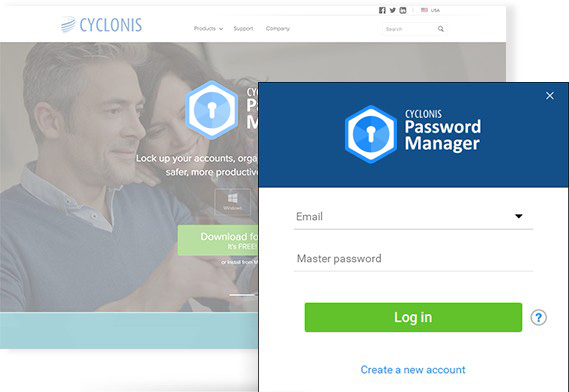
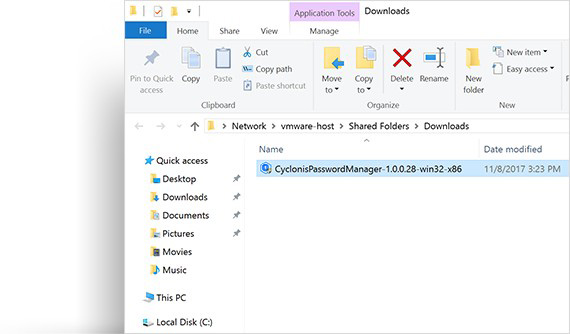 双击CyclonisPasswordManager-Installer.exe文件启动它。或者,您可以右键单击其图标,然后选择运行。
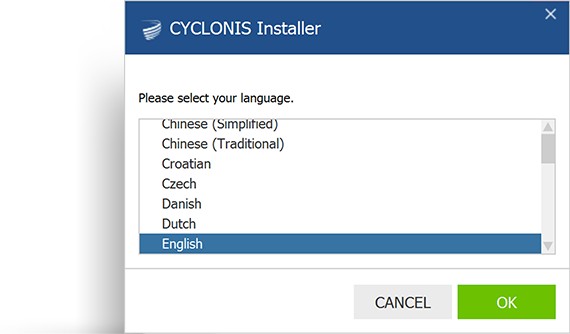 当出现选择语言窗口时,从可用选项中选择偏好语言。
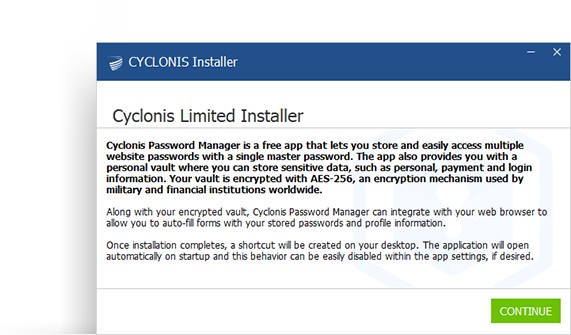 出现的窗口将提供有关Cyclonis Password Manager及其功能的一些信息。仔细阅读并点击继续。
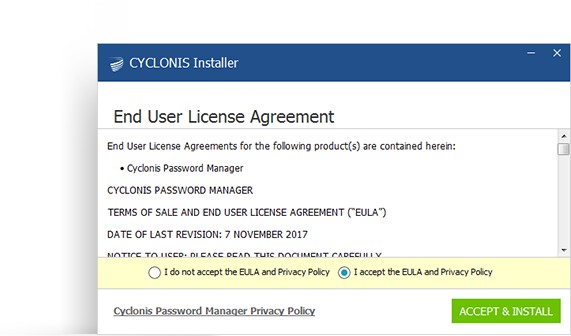 将出现一个显示 Cyclonis Password Manager 的 EULA、隐私政策和折扣条款的窗口。花时间仔细阅读 EULA、隐私政策和折扣条款。
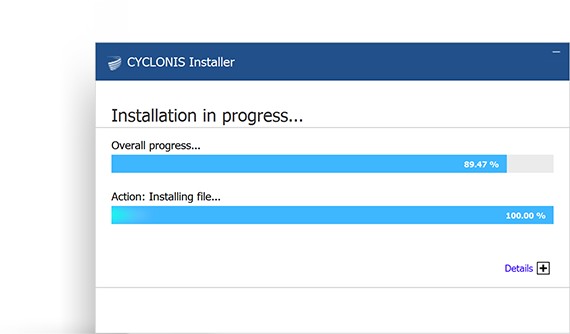 等待程序安装完成。这可能需要几分钟的时间。
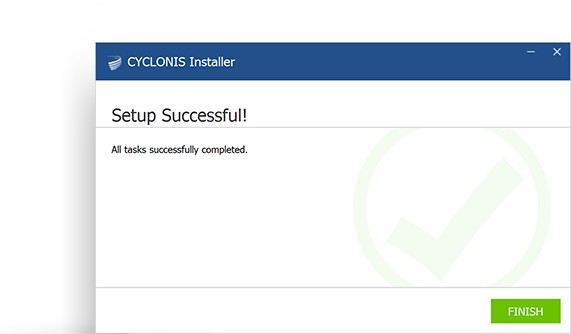 安装过程完成后会出现一个通知窗口。点击完成。
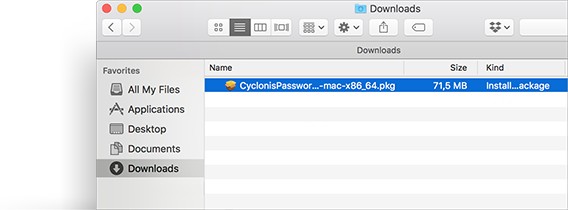 打开Cyclonis Password Manager的CyclonisPasswordManager-Installer.pkg文件的下载位置。
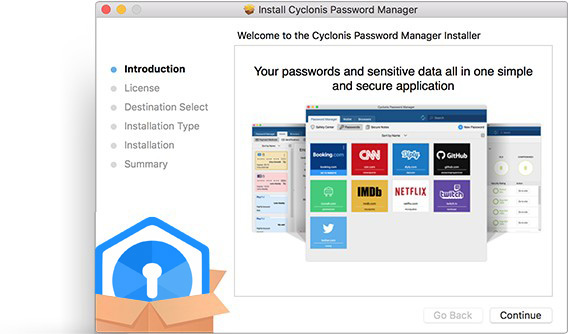 介绍窗口会出现。点击继续。
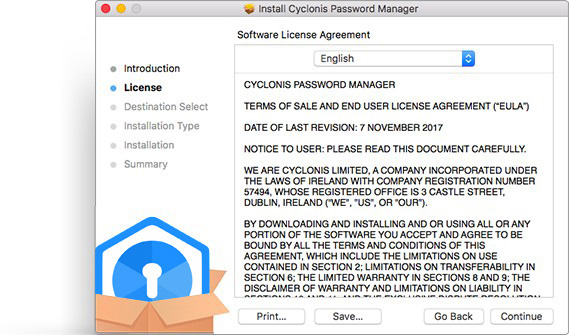 将出现一个显示 Cyclonis Password Manager 的 EULA、隐私政策和折扣条款的窗口。花时间仔细阅读 EULA、隐私政策和折扣条款。
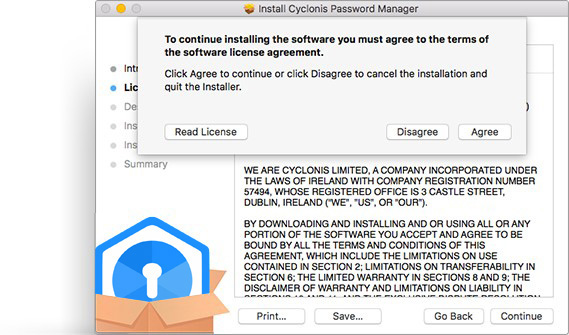 如果您同意 EULA、隐私政策和折扣条款的所有条款和条件,请单击“继续”继续并在出现的弹出窗口中单击“同意”确认您同意。
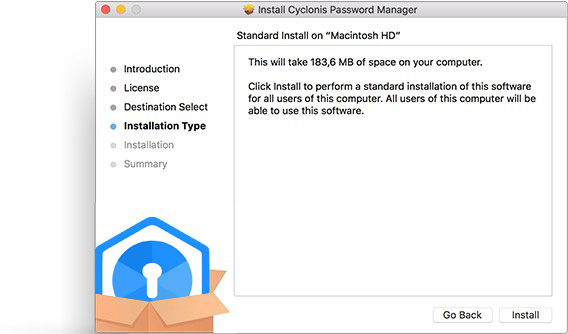 现在您会看到一个名称是Standard Install on Macintosh HD的窗口。点击安装按钮继续。
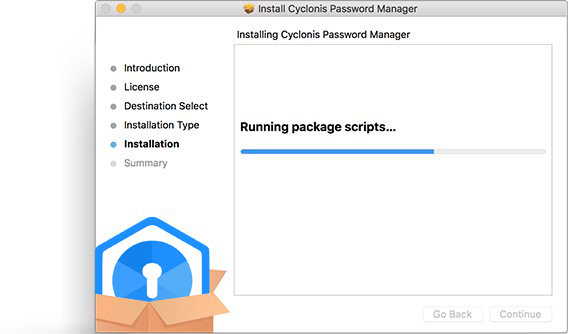 等待程序安装完成。这可能需要几分钟的时间。
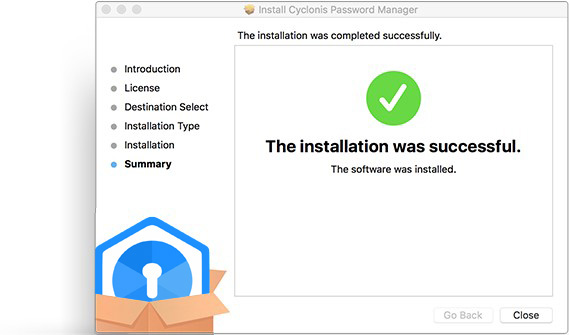 在您成功安装Cyclonis Password Manager后,会出现一个窗口,通知您安装过程已完成。点击关闭。会出现一个窗口通知您安装过程已完成。点击关闭。
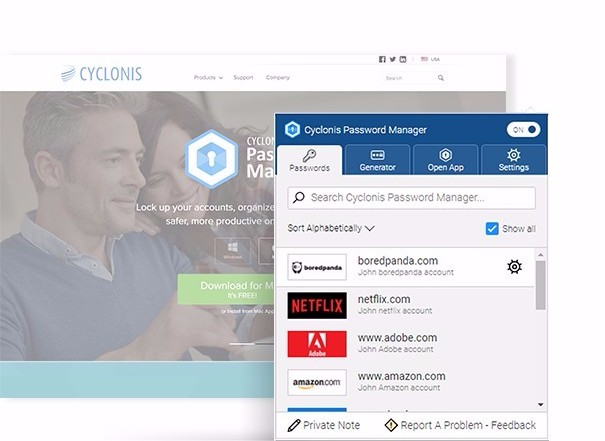
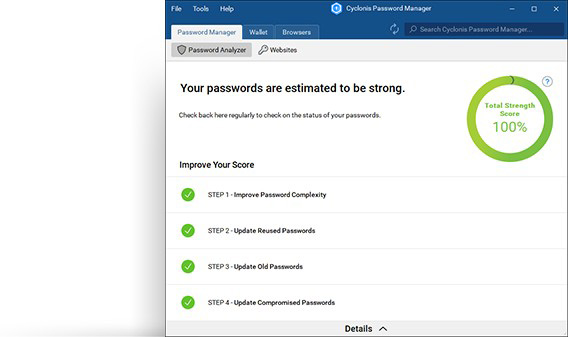 在应用程序主页面中,点击浏览器按钮。
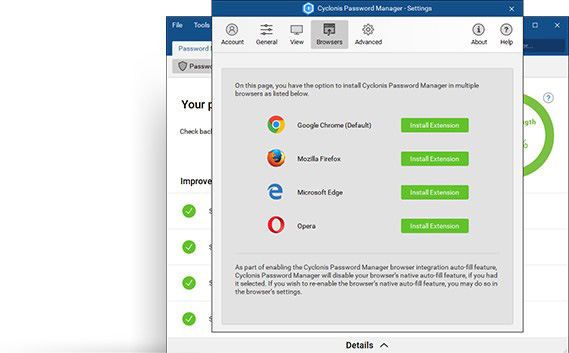 出现的窗口将列出系统上当前安装的受支持的浏览器。点击Chronme图标旁边的安装扩展程序,如果有的话。(如果已安装Chronme扩展程序,该按钮将标记为卸载扩展程序。)
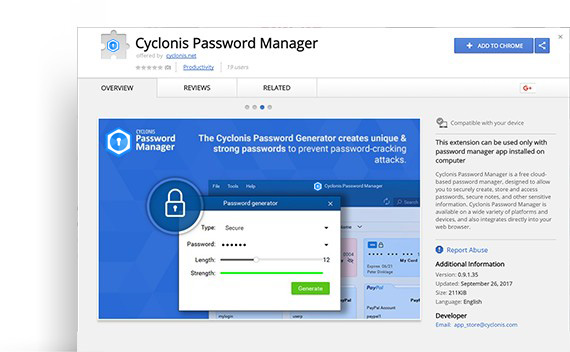 Chrome浏览器会打开,且窗口右上角会显示一个蓝色的 +添加扩展程序按钮。单击它安装扩展程序。
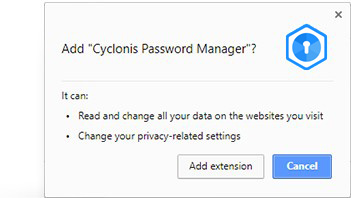 接下来会出现一个名称为是否添加Cyclonis Password Manager?的小弹出窗口,询问您是否要将Cyclonis Password Manager添加到您的浏览器中。点击确认。


